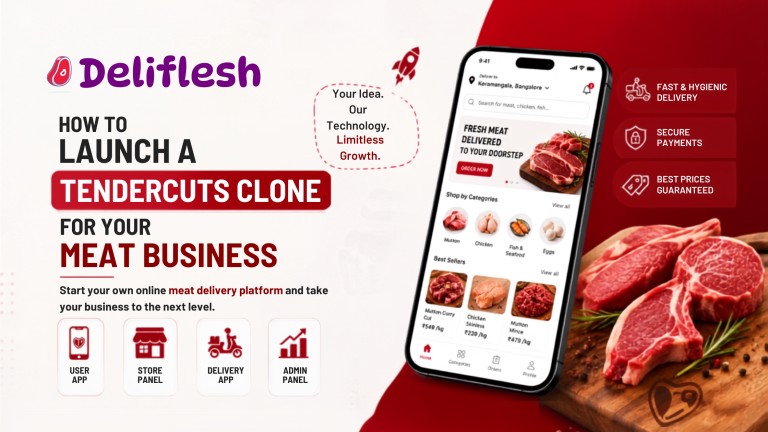
How to Launch a Tendercuts Clone for Your Meat Business
Updated August 2026 · 10 min read · deliflesh.app
Starting a meat delivery business today doesn’t require months of custom app development. A Tendercuts clone gives you a ready-to-launch platform with proven ordering, tracking, and payment systems, so you can focus on sourcing quality meat and building your brand instead of coding from scratch.
The online grocery delivery market, which includes meat and seafood, is projected to grow from $0.91 trillion in 2026 to $2.43 trillion by 2031, according to Mordor Intelligence. That kind of growth explains why so many entrepreneurs are choosing ready-made solutions over long, expensive builds.
What Makes a Tendercuts Clone the Right Choice
Before diving into the launch process, it helps to understand why this route works so well for new meat businesses:
- It cuts development time from months to weeks
- The core ordering and delivery logic is already tested
- You get full branding control without rebuilding the backend
- It scales easily as your customer base grows
How a Tendercuts Clone App Works
A Tendercuts clone connects customers, shop owners, and delivery staff through one synced system. Here’s how a typical order flows:
| Step | What Happens |
| 1. Browse & Order | Customer selects cuts, seafood, or ready-to-cook items |
| 2. Shop Confirms | The meat shop verifies stock and prepares the order |
| 3. Delivery Assigned | A nearby delivery partner picks up the order |
| 4. Live Tracking | Customer tracks delivery status in real time |
| 5. Delivery & Payment | Order is delivered; payment settles through the app |
This structure keeps operations smooth, even during high-demand hours like weekends.
Core Apps and Panels You’ll Need
A complete meat delivery app script typically includes four connected components:
- Customer App – browsing, ordering, tracking, secure payments
- Shop Panel – inventory, order acceptance, stock updates
- Delivery Partner App – pickup, navigation, earnings dashboard
- Admin Dashboard – commission settings, shop management, reports
Each piece talks to the others instantly, so nothing falls through the cracks between order placement and delivery.
Step-by-Step Guide to Launching Your Tendercuts Clone
- Choose your business model – single shop, multi-shop, or city-wide marketplace
- Select a trustworthy clone provider – confirm source code ownership and ongoing support
- Customize branding and shop workflows – logo, colors, cuts, and pricing structure
- Add cold-chain and hygiene features – temperature tracking, quality tags, expiry alerts
- Test thoroughly – check performance across Android, iOS, and web before going live
- Onboard shops and delivery partners – build supply before marketing to customers
Following this order keeps your launch structured, rather than rushed.
Customizing for Your Meat Business
Every meat business has its own product mix and audience, so customization matters. You can adjust:
- Product categories such as poultry, mutton, seafood, and ready-to-cook items
- Regional payment methods, including cash on delivery and digital wallets
- Delivery radius and shop-wise commission rates
- Freshness indicators and batch-level quality labels
This flexibility is what separates a generic on-demand meat delivery app clone from one built to earn customer trust long-term.
Supporting Multiple Shops and Locations
Once your first shop is running smoothly, expansion becomes the natural next step. A solid clone setup supports:
- Multiple shops operating under one admin dashboard
- Location-based delivery zones for each outlet
- Centralized reporting across all branches
- Cloned shop profiles for faster new-outlet setup
For in depth guide you can also read our blog on how to pick the best meat delivery app script.
Conclusion
Launching a Tendercuts clone gives your meat business a fast, reliable, and scalable foundation without the risks of building everything from the ground up. Whether you’re opening one shop or planning a multi-location rollout, the right customization strategy makes all the difference.
Ready to Launch Your Meat Delivery Business?
Turn your meat delivery idea into a powerful Tendercuts like platform with Deliflesh. Explore the live demo to see the platform in action and get expert guidance tailored to your business.
👉 View Live Demo | 📞 Get a Free Consultation
Launch smarter. Reach more customers. Grow your meat delivery business with Deliflesh.
Frequently Asked Questions
1. What is a Tendercuts clone and how does it work?
A Tendercuts clone is a ready-made meat delivery platform that replicates Tendercuts’ ordering, tracking, and payment features. It connects customers, meat shops, and delivery partners through a synced system managed from one admin panel.
2. How can I launch a Tendercuts clone for my meat business?
Select your business model, choose a reliable clone provider, customize branding and product categories, add cold-chain features, test the app, then onboard shops and delivery partners before going live.
3. Can I customize a Tendercuts clone for my meat delivery business?
Yes. You can adjust product categories, payment methods, delivery zones, commission rates, and quality labels to match your specific business and target market.
4. What apps and panels are needed for a meat delivery clone?
You need a customer app, a shop panel for inventory and order management, a delivery partner app, and an admin dashboard to oversee operations and reporting.
5. Can a meat delivery clone support multiple meat stores and delivery locations?
Yes. The admin dashboard lets you manage multiple shops, set location-based delivery zones, and clone shop profiles to speed up new-outlet setup across cities.
