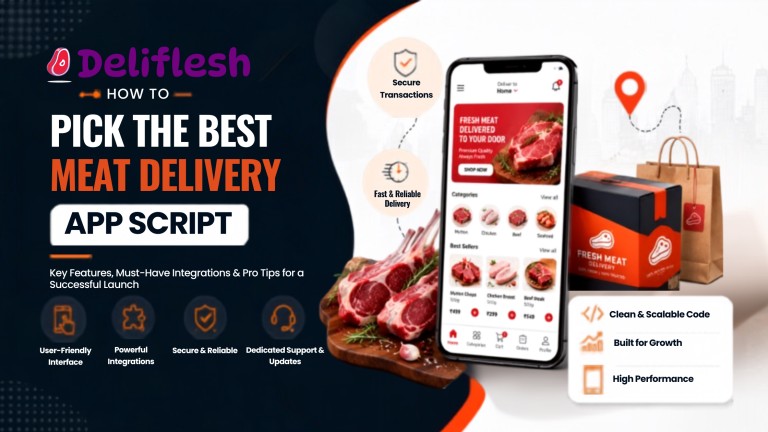
How to Pick the Best Meat Delivery App Script
Updated July 2026 · 10 min read · deliflesh.app
Online meat delivery has moved from a niche convenience to a mainstream buying habit. Meat, fish, and poultry are now among the fastest growing categories in online grocery, according to recent NielsenIQ retail data reported by Grocery Dive. If you are planning to enter this space, choosing the best meat delivery app script is the single decision that determines whether your business launches smoothly or struggles with avoidable technical problems.
Not every script marketed as ready-made is actually ready. Some are outdated templates. Others lack the cold-chain and inventory logic that meat businesses specifically need. This guide breaks down exactly what to check before you invest.
Why This Category Needs a Purpose-Built Script
Meat delivery is not the same as generic food or grocery delivery. It comes with its own operational demands:
- Strict freshness and cold-chain handling
- Weight-based and cut-based product variants
- Batch and expiry tracking for perishable stock
- Higher customer sensitivity to quality and hygiene
- Delivery windows that protect product freshness
A generic delivery template forced into this niche usually falls short. This is exactly why buyers should evaluate a meat delivery app script on meat-specific criteria, not just general delivery features.
Step 1: Check the Core Feature Set First
Before comparing prices, confirm the script actually covers meat business essentials:
- Multiple meat shop or vendor onboarding
- Product variants by weight, cut, and packaging
- Real-time stock and out-of-stock handling
- Live order tracking for both customer and store
- Scheduled delivery slots to protect freshness
- Multiple payment options including COD and online payment
If any of these are missing, you are not looking at a true meat delivery app clone, you are looking at a repurposed food delivery template with a new name.
Step 2: Test the Vendor and Store Management Tools
A meat delivery business usually runs on multiple shops or butcher partners. The script should let store owners:
- Add, edit, or remove products instantly
- Set two or more time slots for order acceptance
- Manage cancelled orders with clear reasons
- Set their own delivery zone or geofence radius
- Enable or disable Cash on Delivery independently
Weak store-side tools create daily friction for your vendors, and frustrated vendors churn fast.
Step 3: Evaluate the Admin Dashboard Depth
The admin panel is where you will actually run the business day to day. A capable dashboard should offer:
- A single view of all stores, orders, and delivery metrics
- Commission and payout tracking across vendors
- Sales, customer, and delivery partner reports
- Content management to update banners and offers
- Multi-currency support if you plan to scale beyond one region
If the demo only shows a customer app and skips the admin panel, ask to see it before deciding anything.
Step 4: Confirm Delivery and Rider Management Capability
Fast, reliable delivery is non-negotiable in this category. Look for:
- Ringtone alerts so riders never miss a new order
- Accept and decline options based on distance or load
- Full delivery details, including address and order value
- Rider earnings and tip tracking
- Real-time GPS tracking visible to the customer
A meat delivery script without dependable rider tools will directly hurt your delivery times and customer trust.
Step 5: Ask About Source Code and Ownership
This step separates a good investment from a locked-in one. Confirm:
- Whether you get full white-label source code
- Whether you can host it on your own servers
- Whether rebranding, logo, and design changes are unrestricted
- Whether future feature additions depend only on the vendor
A cheaper script with no source code access can end up costing more, since every small change goes through the original vendor at their price.
Step 6: Review Security and Compliance Standards
Meat delivery apps handle payment data and personal customer information, so security cannot be an afterthought. A trustworthy meat delivery app script should include:
- Encrypted API communication with SSL
- Secure credential storage on both Android and iOS
- Rate limiting to block automated attacks
- Protection against XSS, clickjacking, and MIME-sniffing
- Server-side session invalidation on logout
Ask the vendor directly how they handle these, rather than assuming it by default.
Step 7: Understand the Real Cost, Not Just the Sticker Price
Compare quotes on these components, not the headline number alone:
- Licensing or source code fee
- App store publishing charges for Android and iOS
- Server and hosting setup
- Customisation beyond the base package
- Ongoing support and update charges
Step 8: Check Post-Launch Support Terms
Going live is only the beginning. Confirm in writing:
- How long free updates are included after purchase
- Typical response time for critical bugs
- Whether store publishing support is included
- What happens once the free support period ends
A vendor who is responsive before the sale but slow after it is a common pattern worth watching for.
Quick Comparison Checklist
- Full source code and hosting freedom
- Meat-specific product variants and batch tracking
- Strong vendor and admin dashboard
- Verified rider management and live tracking
- Documented security measures
- Transparent, itemised pricing
- Clear post-launch support terms
- A working live demo, not just screenshots
If a vendor cannot answer these confidently, keep evaluating other options before committing.
The Market Backs This Decision
The global meat products market was valued at roughly USD 1,660 billion in 2025 and is projected to keep climbing through 2034, according to Fortune Business Insights. The opportunity is real. What decides the outcome is whether your platform runs on dependable, well-built technology from day one.
Ready to Launch With the Best Meat Delivery App Script?
The best meat delivery app script combines meat-specific product handling, a strong vendor and admin dashboard, secure APIs, and dependable rider tracking, all backed by full source code ownership. Picking the right platform now saves months of rework later.
View a live demo of Deliflesh, built and supported by Bytesflow, or get a free consultation to plan your meat delivery app launch without overpaying for features you don’t need.
Frequently Asked Questions:
1. What is a meat delivery app script?
It is a ready-made software solution built to run a meat delivery business, covering the customer app, delivery partner app, store panel, and admin dashboard, so businesses can launch without custom development from scratch.
2. How is a meat delivery app script different from a general food delivery script?
A meat delivery app script includes meat-specific features like weight and cut-based variants, batch and expiry tracking, and cold-chain aware delivery slots, which a generic food delivery template usually lacks.
3. Can I fully customise a meat delivery app clone?
Yes, if you get full source code and white-label rights. This lets you rebrand the app and add features freely, without depending on the vendor for every change.
4. How long does it take to launch with a ready-made script?
Most ready-made platforms, including Deliflesh, can go live within a few weeks, compared to several months required for fully custom development.
5. Does the best meat delivery app script support multiple meat shops?
A well-built one does. Look for multi-vendor onboarding, individual store dashboards, and store-wise delivery zone settings before choosing a script.
